ChatInfra Search Desktop · Free
Search every local AI-agent session with ChatInfra Search Desktop
Find the work you've done across Claude Code, Codex, Gemini CLI, opencode, Droid, Pi, and Grok without leaving your local machine.
Learn more about the ChatInfra product portfolio.
Linux ✓Windows ✓macOS ✓
Product tour
See ChatInfra Search Desktop in use
Real screenshots from the bundled sample data — what you see is what ships.
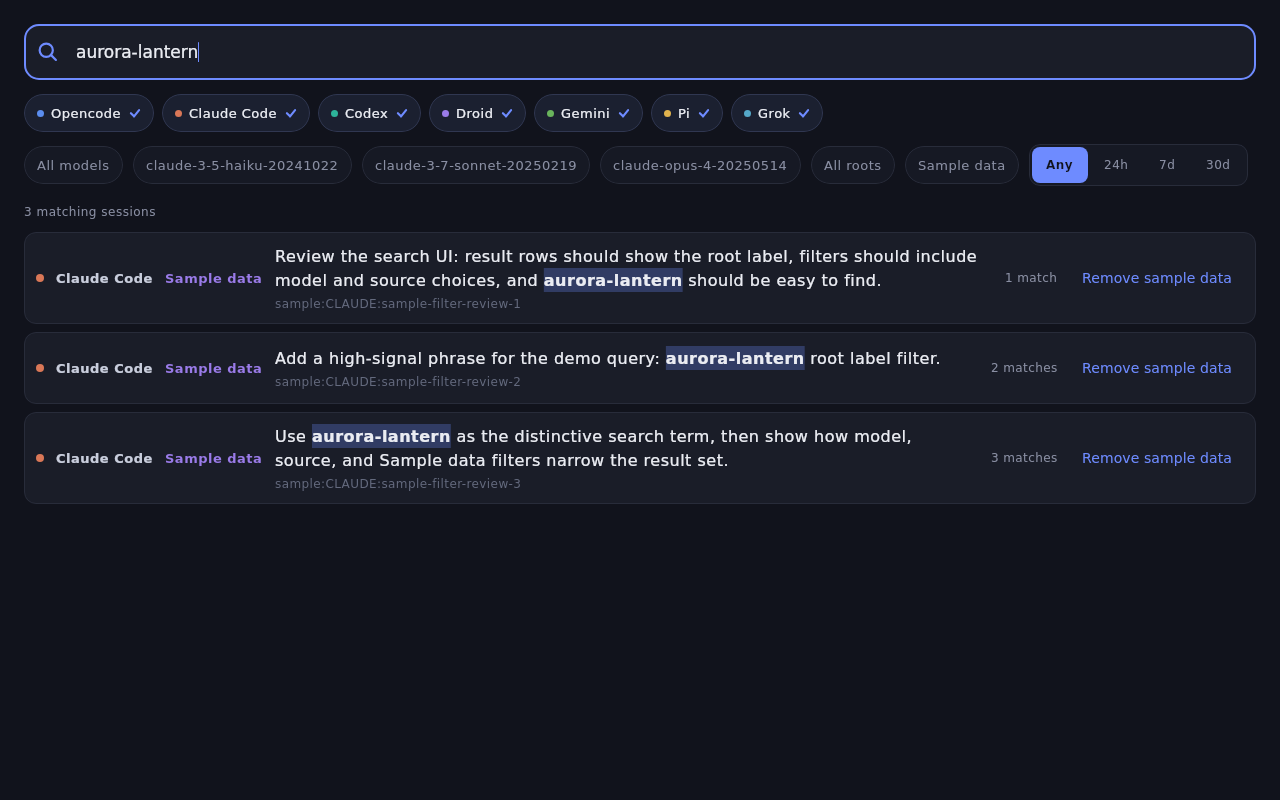
Search pane
Query local agent transcripts, scan highlighted matches, and narrow the result set by source, model, date, or root.
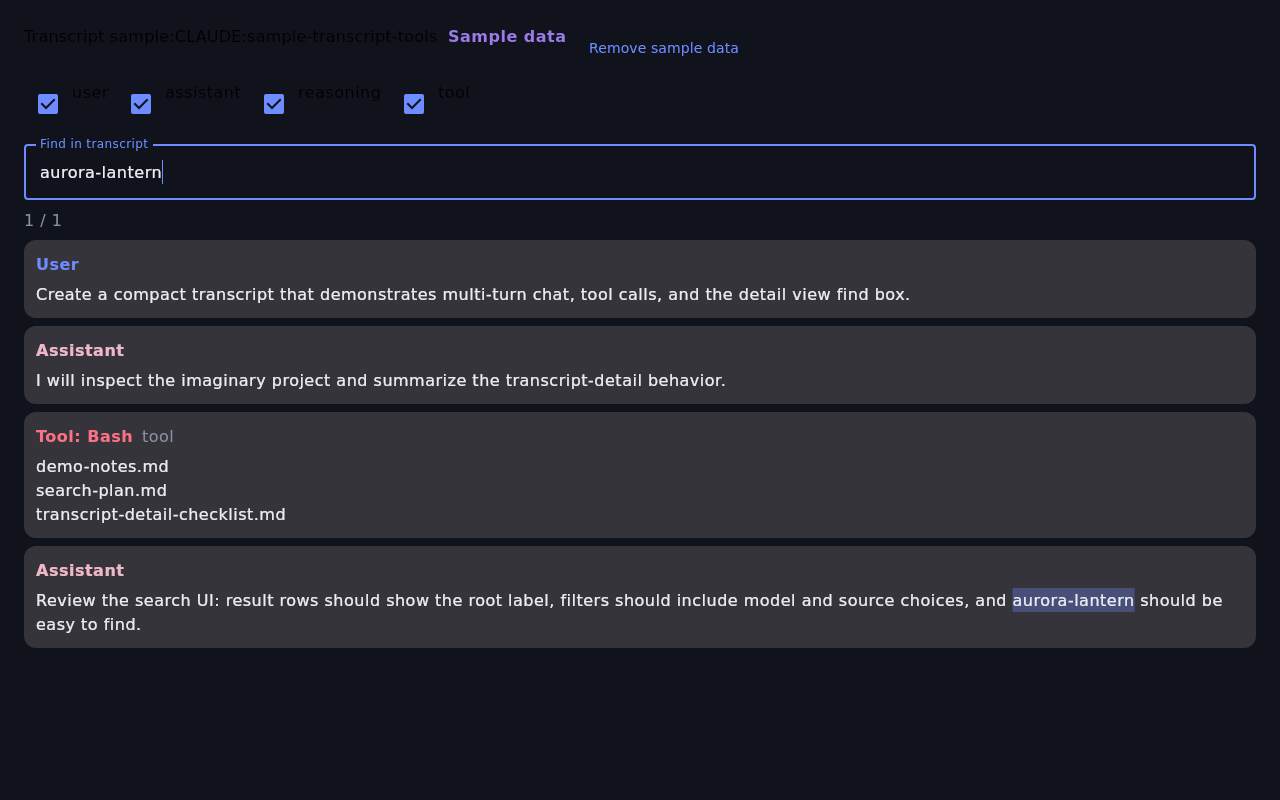
Transcript detail
Open a result to inspect the original transcript with role filters, local find, and sample-data labeling.
Privacy posture
Your session history stays yours
- Transcripts are indexed locally on your machine and do not leave it.
- The only network egress is the desktop app's update check plus explicitly opt-in enrichment.
- Enabling summaries sends session content to the configured endpoint, OpenAI's API by default, at your API cost.
Install options
Install ChatInfra Search Desktop
Pick the installer for your workstation. The Linux app updates itself automatically after installation.
Linux
Install the current Debian package with apt, then let ChatInfra Search Desktop keep itself up to date.
curl -fLO https://www.chatinfra.com/api/download/search-desktop/chatinfra-search-desktop_26.08.2714_amd64.debsudo apt install ./chatinfra-search-desktop_26.08.2714_amd64.debPackage name
chatinfra-search-desktop
Download Linux .deb for 26.08.2714Windows
Install the signed MSIX package or use the update feed for future releases.
macOS
Choose the signed app zip that matches your Mac.
Harness compatibility
Works with the agents you already run
ChatInfra Search Desktop keeps the session history from each supported harness discoverable in one local index.
- Claude Code
- Codex
- Gemini CLI
- opencode
- Droid
- Pi
- Grok